CodeNSolder
I want to be upfront: this started as a frustration project, not a grand idea.
At some point I noticed that my YouTube homepage had quietly turned into something I did not recognize. The channels I subscribed to years ago were showing up less and less. What was filling the gaps were videos that YouTube had decided I might like, based on whatever signals their algorithm was optimizing for that week. Some of it was fine. Most of it was noise.
The subscriptions tab still existed, but it was buried, and even there the order of videos felt slightly off. Something was being ranked. I never asked for that.
I just wanted a list. Newest stuff from the people I follow. In order. That is it.
The obvious fix did not work
My first instinct was to look for an existing tool. There are RSS readers, feed aggregators, self-hosted options. Some of them are great. But I also follow RSS blogs from tech writers and engineers, and I wanted everything in one place: YouTube videos and blog posts, a single interface, running on my own hardware with no external dependency.
Nothing quite fit right for me. So I built it.
What noalgotube is
noalgotube is a self-hosted content aggregator. You add YouTube channels and RSS blog feeds. It pulls the latest videos and articles. You read or watch what you want. Nothing else happens.
No recommendations. No trending. No “because you watched X”. No tracking. The interface does not know what YouTube thinks you should watch. It only knows what you told it to fetch.
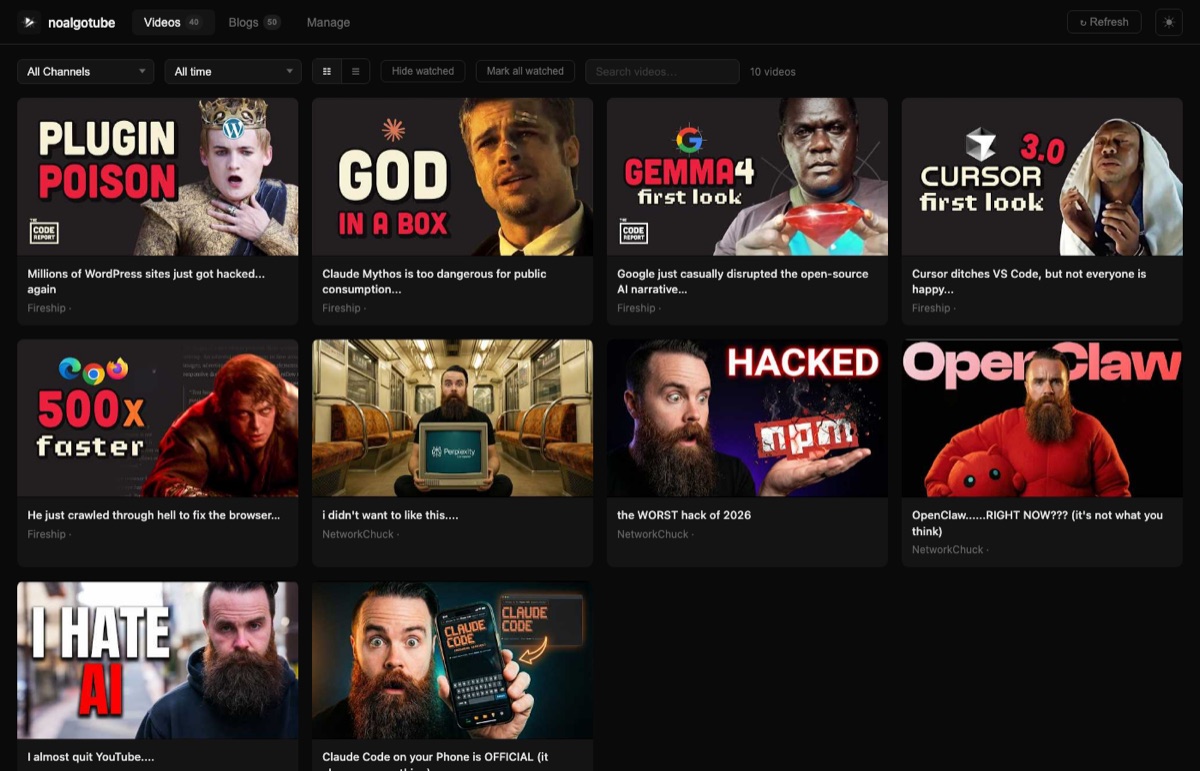
The stack is deliberately simple: FastAPI on the backend, SQLite for storage, vanilla HTML and JavaScript on the frontend. No npm, no build step, no framework. The whole thing runs in a single Docker container.
No YouTube API key required
This was a deliberate design decision. Getting and managing a YouTube Data API key is friction. It has quotas. It requires a Google account and a project. I did not want to deal with any of that, and I did not want users to have to either.
Instead, noalgotube uses YouTube’s public RSS feed endpoint. Every YouTube channel has one, and it does not require authentication. You paste in a channel URL, the app resolves it to a channel ID, and from there it fetches videos over RSS. If that endpoint is unavailable, yt-dlp is used as a fallback.
You just paste a URL like https://youtube.com/@Fireship and it works.
YouTube and blogs in one view
The Blogs tab pulls from any standard RSS or Atom feed. Point it at a blog’s feed URL and the latest articles show up alongside your YouTube videos.
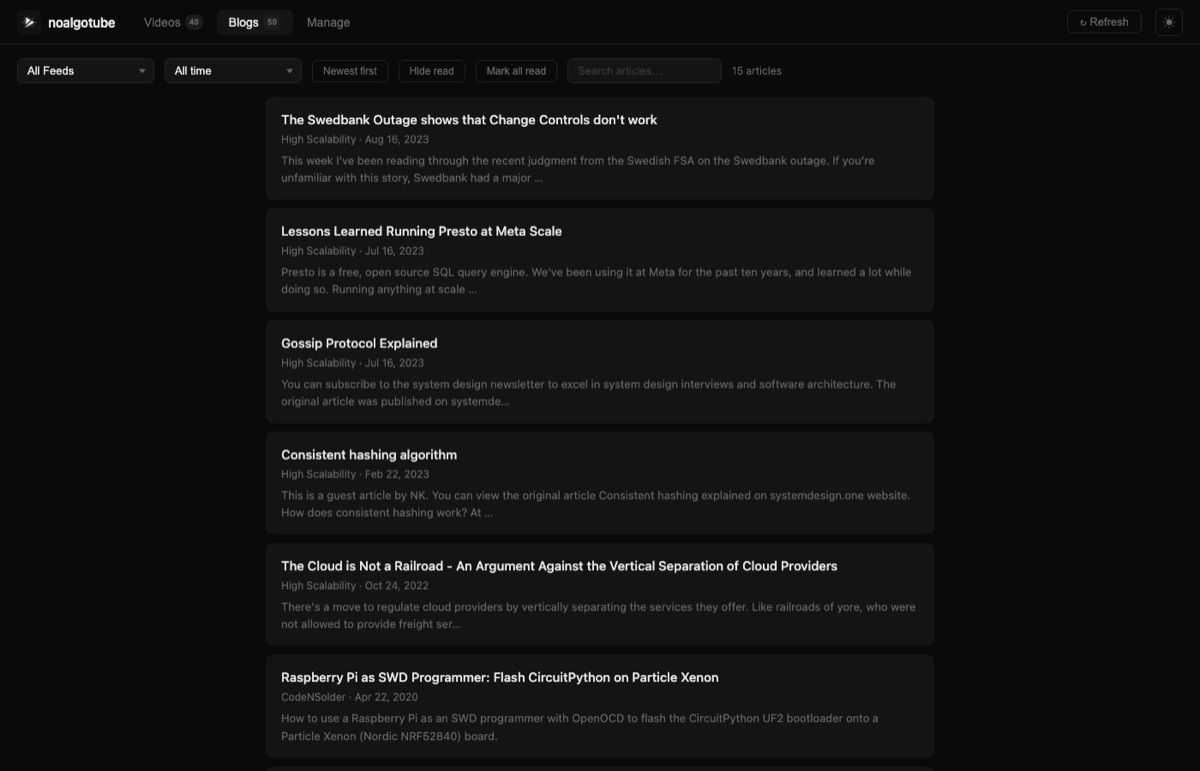
I follow a mix of engineering blogs, system design writing, and personal tech sites. Having those in the same app as my YouTube subscriptions means I open one thing in the morning instead of three.
What managing your feeds looks like
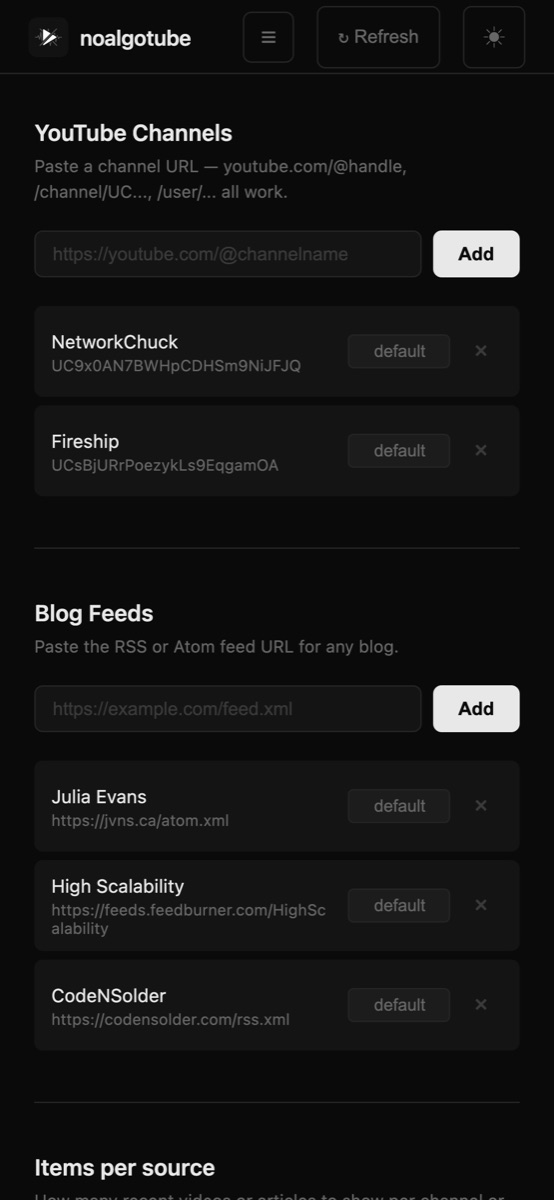
The Manage page is where everything is configured. You add YouTube channels and RSS feeds with a URL paste. You can set how many items per channel or feed to show. Removing a channel cascades cleanly and does not leave orphaned data behind.
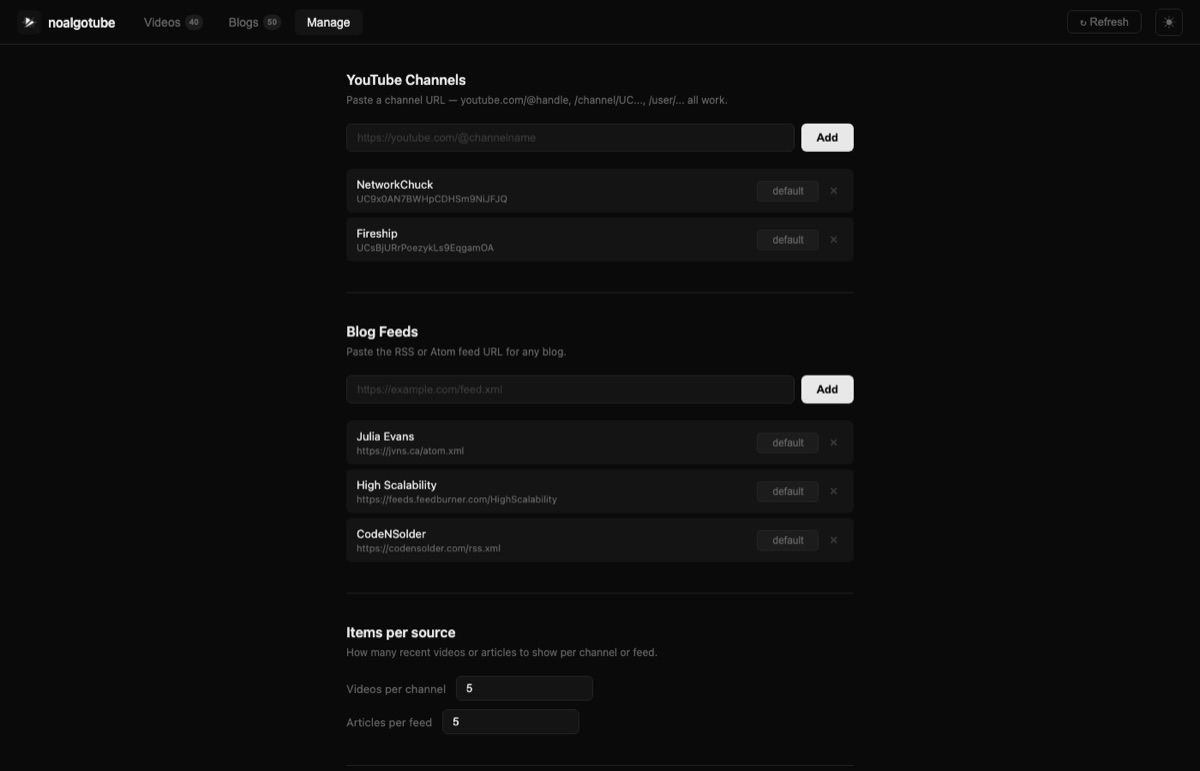
There is also a dark/light theme toggle, grid and list view options for videos, watched/read state tracking, search, and time filtering. The watched and read states are persistent. Re-syncing a channel never resets what you have already marked.
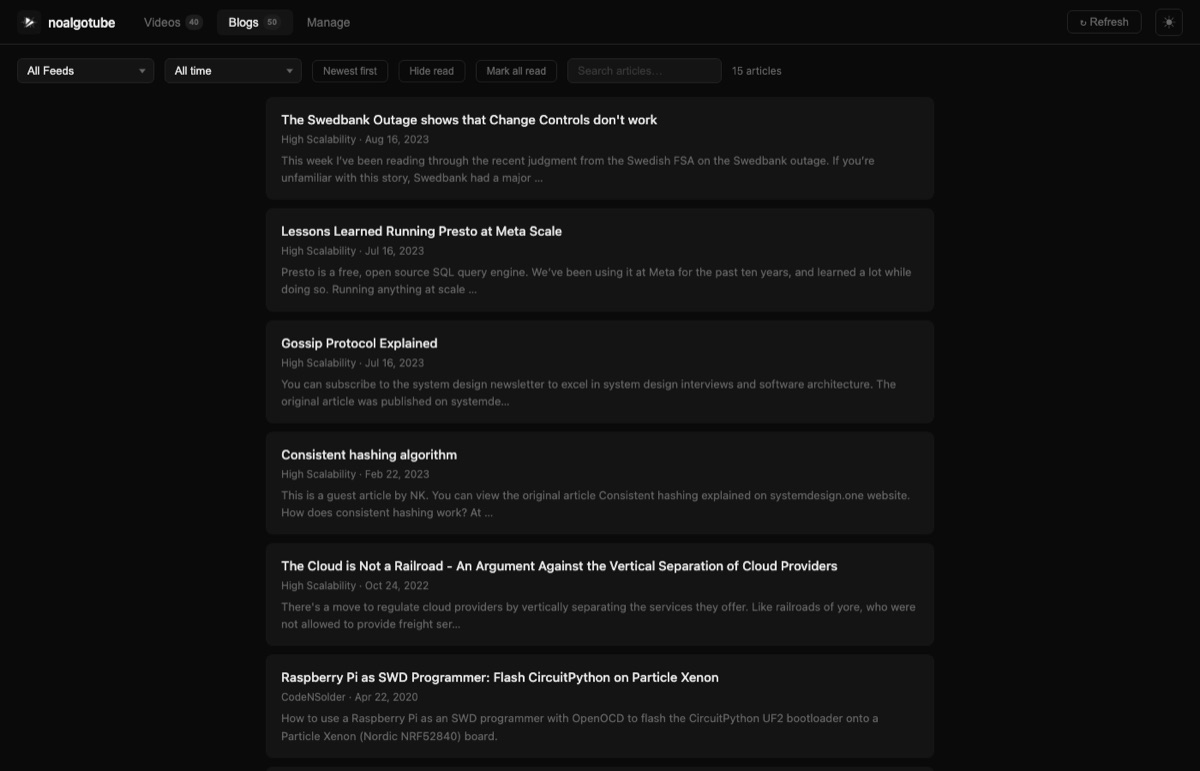
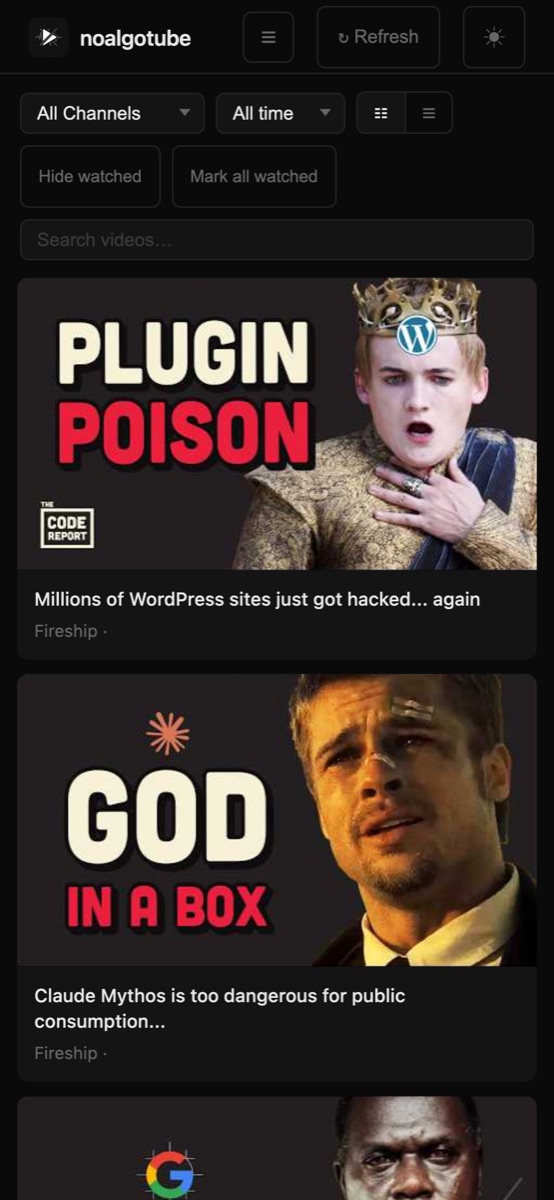
It works great on mobile too
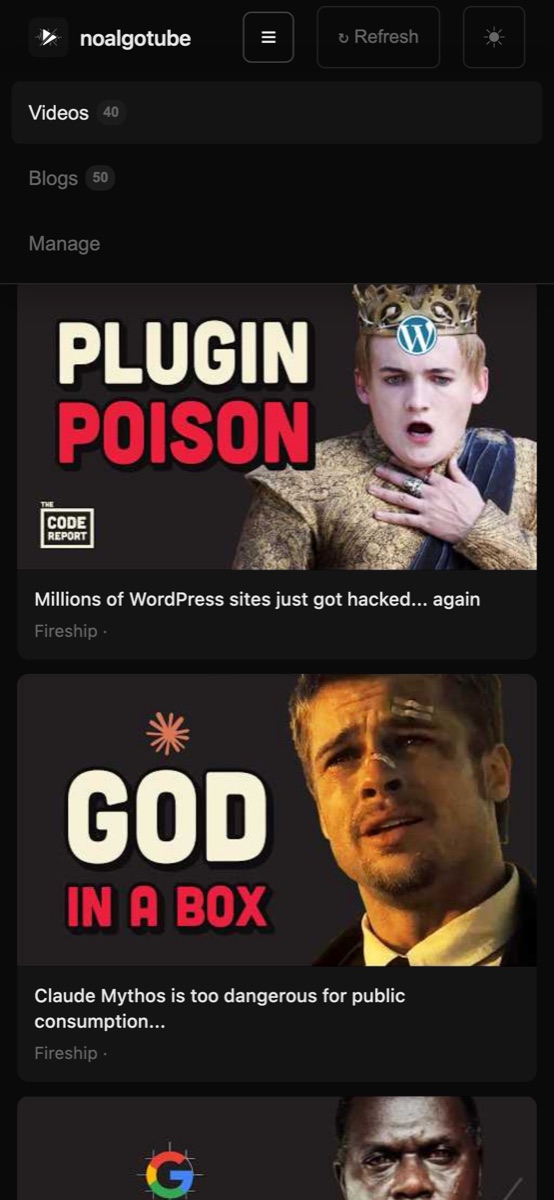
The whole UI is responsive and designed to be usable on a phone. On a small screen the navigation collapses into a hamburger menu, the cards stack vertically, and the controls stay out of your way.
The hamburger opens a clean slide-down nav to switch between Videos, Blogs, and Manage without ever feeling cramped.
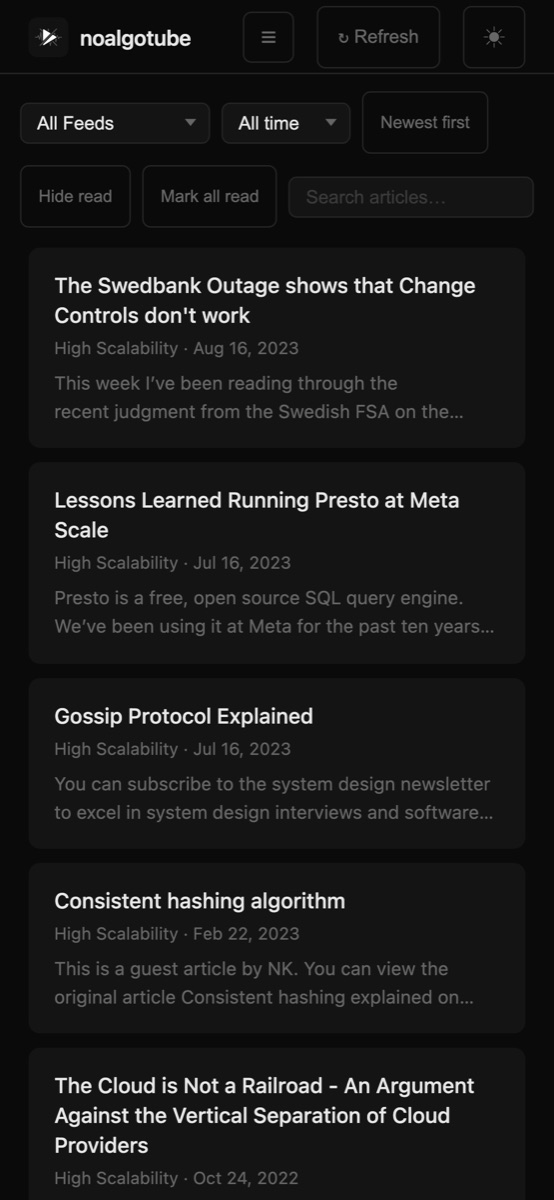
The blogs view is especially comfortable to read on mobile - article titles, source, date, and a short excerpt, nothing more.
Add it to your home screen
On iOS, open noalgotube in Safari, tap the share button, and choose “Add to Home Screen”. It will sit on your home screen with its own icon and open full-screen with no browser chrome around it - no address bar, no tabs, nothing. It behaves exactly like a native app.
It is not a PWA in the traditional sense (no service worker, no offline mode), but the experience of launching it from your home screen and having it fill the whole display is close enough that most people would not notice the difference. The dark theme, the clean layout, the single-purpose focus - on a phone it genuinely feels like something you downloaded.
Self-hosted, no cloud required
The intended deployment is Docker on whatever hardware you have. A Raspberry Pi, a home server, a VPS you already pay for. The Docker image is available on Docker Hub as iayanpahwa/noalgotube:latest and it is built for both amd64 and arm64 so it runs on ARM boards without any fuss.
docker run -d \
  -p 8080:8080 \
  -v noalgotube_data:/data \
  iayanpahwa/noalgotube:latest
That is the full deployment. Open a browser at port 8080, start adding channels.
A Docker Compose file is also in the repo if you prefer that for your homelab setup.
It is open source and actively maintained
The code is on GitHub at iayanpahwa/noalgotube. Apache 2.0 licensed, so you can read it, modify it, run it, contribute to it.
I am actively working on it. The v1.2.0 release that landed recently added a mobile navigation menu, confirmation dialogs before deleting channels or feeds, and bulk mark-watched and mark-read. There is more coming.
A few things on the near-term list:
- Keyboard shortcuts for navigation and marking items
- Better sync status visibility per channel and feed
- Performance and stability improvements from real usage
This list will change based on what people actually find useful. Which brings me to the next part.
I want to hear from you
If you are a developer, a self-hoster, or someone who runs a homelab and has strong opinions about feed readers and content consumption, I would genuinely like your feedback.
What is missing? What would make this more useful in your setup? What would you not touch even if I added it?
Open an issue on GitHub, or reach out directly. The project is small enough that real feedback from real users shapes what gets built next.
If you have been annoyed by algorithmic feeds eating your subscriptions, give it a try. The whole thing is one docker run away.
Source code and docs: github.com/iayanpahwa/noalgotube